Invoice Generator – Free Online Invoice Maker | TempScript
100% browser-based • Your data stays on your device

Invoice Generator

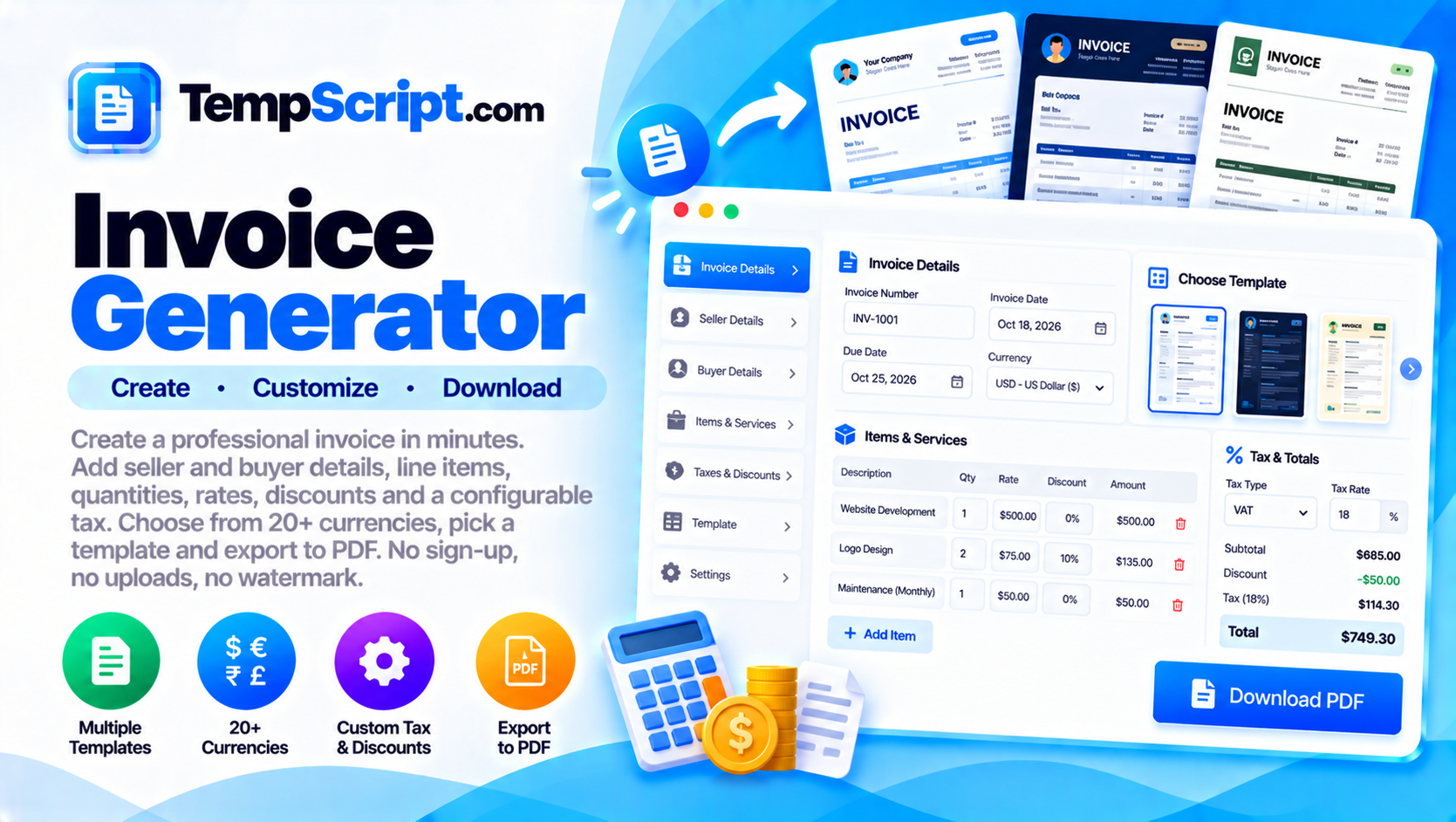
Create a professional invoice in minutes. Add seller and buyer details, line items, quantities, rates, discounts and a configurable tax. Choose from 20+ currencies, pick a template and export to PDF. No sign-up, no uploads, no watermark.

Invoice generator tool

Private by design. Everything you enter stays in your browser. The PDF is generated locally using your browser's print engine. Drafts are only saved if you explicitly allow it.

Template
Your details (seller)
Upload a logo PNG, JPG or SVG. Recommended 200×200 px.
Client details (buyer)
Invoice details

Used for the symbol and number formatting in the totals.

Line items
Description Qty Rate Disc % Amount
Subtotal —
Discounts —
Tax —
Total —
Tax & discounts
Yes, prices already include tax
Notes & terms
Live preview Classic · A4
Invoice generator with editable line items and a live preview of the invoice document
Create a professional invoice with editable line items and export it as a PDF.

How to use the invoice generator

  1. Add your details. Fill in the seller section (with an optional logo) and the client section.
  2. Set the invoice metadata. Enter the invoice number, dates, and pick your currency from the list.
  3. Add line items. Each row has a description, quantity, rate, and per-line discount. Add as many rows as you need.
  4. Configure tax and discounts. Set the tax label (VAT, GST, Sales Tax, etc.) and rate. The tool does not assume any country's rules — you are in full control.
  5. Preview and export. Choose a template, review the live preview, then click Export PDF and choose "Save as PDF" in your browser's print dialog.

Key features and benefits

20+ currencies

Pick from USD, EUR, GBP, INR, JPY, CNY, AUD, CAD, BRL, AED and many more. Or enter a custom ISO code.

Unlimited line items

Each line has a description, quantity, rate and per-line discount. Add or remove rows freely.

Configurable tax

Set the tax label (VAT, GST, Sales Tax, etc.) and rate yourself. No country-specific rules are baked in.

Logo upload

Upload a logo to appear on the invoice. The image is embedded locally and never uploaded anywhere.

Three templates

Classic, Modern and Minimal. Each uses the same data with a different layout and accent.

Fully private

Everything stays in your browser. Drafts are saved only if you explicitly allow it.

Privacy and how drafts work

  • Fully client-side. All text you enter is held in your browser. The PDF is generated by the browser's own print engine, so no data is transmitted anywhere.
  • Drafts are opt-in. On first visit you are asked whether the tool may save your draft in this browser. If you decline, nothing is stored.
  • Clear drafts anytime. Use the Clear button to remove everything, including the saved draft.
  • Currency formatting is local. Symbols and number formatting come from your browser's built-in internationalization API — nothing is fetched from a server.
  • No country-specific tax rules. Tax is fully configurable, which keeps the tool neutral and reusable.
  • Shared computers. On a shared device, decline the draft save and click Clear when you are finished.

Frequently asked questions

Is this invoice generator free?
Yes. The invoice generator is completely free, requires no account, and produces clean PDF exports without any watermark.
Which currencies are supported?
The tool includes more than 20 major world currencies (USD, EUR, GBP, INR, JPY, CNY, AUD, CAD, BRL, AED and more). You can also enter a custom ISO currency code if your currency is not in the list.
Is my invoice data uploaded to a server?
No. Everything you enter stays in your browser. The PDF is generated locally using your browser's print engine. Drafts are only saved if you explicitly allow it.
Does the tool apply country-specific tax rules?
No. Tax is fully configurable: you set the rate and the label (for example VAT, GST or Sales Tax). This keeps the tool neutral and usable in any country without hard-coding specific rules.
What templates are included?
Three professional templates are included: Classic, Modern and Minimal. Each has a different layout and accent colour but uses the same invoice data.
How do I export my invoice as PDF?
Click the Export PDF button. Your browser's print dialog opens with the invoice ready to print or save as PDF. Choose "Save as PDF" as the destination.

A practical guide to creating clean invoices

An invoice is a legal document. Even in its simplest form, it needs to identify the seller, the buyer, the work or goods supplied, the amount owed, and the date by which payment is expected. Getting those basics right builds trust with clients and keeps your records clean.

What every invoice should contain

  • A unique invoice number. Use a consistent scheme so you can find invoices later — for example INV-2026-0001.
  • The issue date and the due date. The due date is often set by contract or by your standard payment terms.
  • Seller details. Your business name, address, contact details and any tax identifier required in your jurisdiction.
  • Buyer details. The client's name, address and tax identifier if they have one.
  • Line items. A description of each item or service, quantity, unit price and total.
  • Subtotal, tax and total. Show the tax clearly, with its rate and label.
  • Currency. Always indicate the currency. This matters when invoicing international clients.

About currencies

Currencies are identified by a three-letter ISO 4217 code — USD, EUR, GBP, INR, JPY, and so on. The code is what really matters; the symbol is a convenience for the reader. This tool supports more than 20 major currencies, and formatting is handled by your browser's built-in internationalization API, so numbers are grouped and decimal separators follow the conventions of your locale. For a currency not in the list, you can enter any three-letter ISO code manually.

About taxes and jurisdictions

Tax rules vary widely. In the EU, most invoices must show a VAT number and follow specific VAT rules; in India, GST applies; in the US, sales tax applies in many states but not all. Because of this, a general-purpose invoice generator should not try to enforce any one country's rules. Instead, it should let you set the tax label and rate yourself — which is exactly what this tool does.

Common mistakes to avoid

  • Missing or duplicate invoice numbers. Both cause confusion and can fail an audit.
  • Unclear line items. "Consulting — $500" is less useful than "Design consultation, 5 hours at $100/hour".
  • Missing tax details. If tax applies, show the rate and the amount. If it does not, say "No tax" rather than leaving the field empty.
  • Wrong currency. If you invoice internationally, always show the currency code, not just the symbol.
  • No payment terms. The client needs to know when and how to pay.

About this tool

This invoice generator is part of the TempScript free online tools collection. It runs entirely in your browser, requires no account, and never sends your data anywhere.